This is the architecture AI stack employers expect you to know. Organized by what each tool replaces, with pricing and the use case that matters most.
The tools below are the ones AI-skilled architecture pros are using day-to-day at AI-native and AI-forward companies. We grouped them by what each layer does so you can pick one tool per layer instead of trying to learn all of them.
The bigger picture: The move for architects is to build a portfolio of AI-augmented work across the design process: site analysis, concept generation, sustainability optimization, documentation. AI-forward firms hire on demonstrated workflow fluency, not on visualization polish alone. The combination of traditional design depth plus computational fluency is the highest-impact profile in 2026.
The Stack
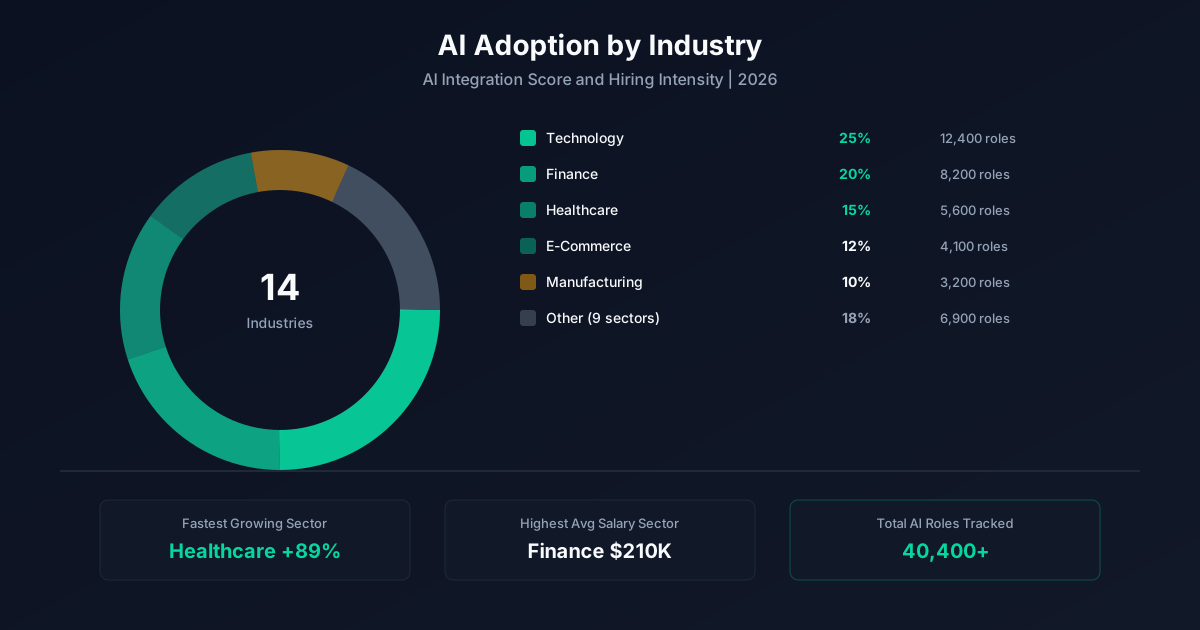
This is the architecture AI tool stack we see in real job postings and practitioner workflows. We organized it by category so you can see what each layer does, then picked the leaders in each. Pricing reflects publicly listed plans as of 2026.
Don't try to learn all of these. Pick one tool per category, get usefully fluent, then add adjacent tools as your work demands them. The skills you build with one platform mostly transfer.
Generative Design
Cloud-based generative design with site analysis, climate modeling, and layout optimization
Best for: Site planning and early-phase design
AI-driven urban design and master planning
Best for: Master planning and large sites
Real-time generative feasibility for residential and commercial sites
Best for: Feasibility studies and pro forma analysis
BIM & Documentation AI
Industry-standard BIM with growing AI capabilities for documentation and clash detection
Best for: Most architecture firms
Diffusion-model-based visualization integrated with BIM
Best for: Concept rendering during design
Visualization
AI imagery for concept exploration and client presentations
Best for: Early-phase concept work
AI rendering plugin for SketchUp and Revit
Best for: Photorealistic concept renders
Open-source diffusion with controllable architectural prompts
Best for: Custom workflows and brand-specific styling
Sustainability & Performance
AI-driven energy and sustainability analysis at the design stage
Best for: Sustainable design firms
How To Choose
If you're an individual contributor learning on your own time: start with the cheapest or free tier in each category. ChatGPT, a tool with a generous free plan, and one specialized tool. Total spend stays under $50 a month.
If you're picking tools for your team: weigh integration first, capability second. The best tool that doesn't connect to your data is worth less than a B+ tool that lives where your work happens.
Once you've picked, read the matching skills page for what to learn first, or the 6-week curriculum for the sequenced plan.
A Worked Example
Here's the same stack at work in a real architecture workflow:
A senior project architect at an AI-forward firm ran a generative design workflow for a mixed-use site analysis: 200 site configurations explored in 36 hours of compute time using Spacemaker plus a custom optimization layer. The workflow surfaced a configuration that improved daylight access by 18% and reduced cooling load by 11% versus the firm's manual baseline. The architect was promoted to associate and asked to lead the firm's computational design practice.
The pattern matters more than the specific tools or numbers. Documented work, measurable outcomes, and a story you can tell externally are the three things that move architecture pros from median to top quartile in 2026.
Putting It Together
Tools is one piece of the AI-for-architecture story. The full picture covers what AI is changing about the work (the risk page), the skills employers want (the skills page), the tools AI-fluent pros use (the tools page), what the work pays (the salary page), where the hiring is happening (the jobs page), the curriculum to close any gaps (the learn page), and the career path that connects them (the career page).
Most architecture pros end up reading three or four of these pages before they make a move, because the questions are connected. The skills you need depend on the role you're targeting; the salary band depends on the seniority and company type; the curriculum that gets you there depends on what you're starting from. The hub at /ai-for-architecture/ ties the pieces together with the strategic synthesis: what's actually happening in architecture, what to do about it, and how to think about your next move.
If you're early in the process, start with the risk page for the honest read on what AI is and isn't changing in architecture. If you're closer to a job move, the jobs page and career page are the highest-impact reads. If you're trying to grow inside your current role, the learn page is the practical sequence.
Common Questions
The questions below come from architecture pros at every stage, junior to executive. If you don't see yours, the related pages link out to the deeper coverage on each topic.
There isn't one. The right answer depends on your existing stack, budget, and what you're trying to automate. Most architecture pros end up running 2-3 AI tools, not one. Use the categories above to pick one tool per layer.
An individual can stay under $50/month using ChatGPT plus one specialized tool. A team usually lands at $50-150 per seat per month for the full stack. Heavy users at AI-forward companies can hit $300+ per seat.
Some are. Spreadsheets are losing share to AI-assisted analysis. Standalone copywriting tools are losing share to ChatGPT. The pattern is consolidation toward AI-native platforms that absorb adjacent functions.
No. The skills you build with one tool transfer to its replacement. Prompt design, workflow building, and eval thinking are platform-agnostic. The cost of waiting is higher than the cost of switching.
Yes. Pick the AI tool that maps to your most repetitive task. Run it in parallel with your normal workflow for a week. The compounding starts immediately.
Keep Going
The pages below cover the rest of the picture. Each one is a self-contained answer to a different long-tail question. Most architecture pros end up reading three or four before they apply somewhere or make their next move.
Methodology
Every number on this page comes from a continuously updated dataset of 22,351 weekly job postings across 42 roles and 14 industries. Salary figures are derived from postings that disclose compensation and weighted by seniority, location, and remote status. AI penetration percentages reflect the share of postings in each function that explicitly require or prefer AI skills. Premium calculations compare median compensation for postings tagged AI-skilled against postings in the same function and seniority without AI requirements. The dataset refreshes every Sunday; the snapshot used for this page is dated the week shown above.
Sources & notes. Source dataset: AI Pulse weekly job posting index (n=22,351). Salary disclosure rate: 6.4% of postings include compensation. Premium calculations require minimum n=20 postings per role-seniority cell. Updated weekly. For methodology questions, see the About page.
Last updated: 2026-08-24.
One email a week. AI adoption data, salary shifts, and the skills worth learning. No fluff.
Subscribe Free AI Pulse